Water intake tracking for Android. A one-tap home-screen widget, reminders that arrive on time, and a daily goal worked out from you.
“kap” is Serbian for “drop”.
01 · the widget
Tap. Drink. Done.
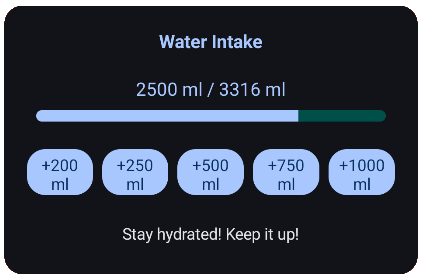
The whole point of Kap is the home-screen widget: today's progress and one-tap buttons for the amounts you actually drink. This one works; the glass beside it is your day.
Water Intake
0 ml / 3,316 ml
Stay hydrated! Keep it up!
0%
Today
Nothing yet. Tap a button.
The real widget is a Jetpack Glance widget; its buttons are the quick-add volumes you set in the app (100, 250, 500, 750 and 1000 ml by default). It took three implementations to get here. The devlog has the story.
02 · your goal
A goal worked out from you
On first launch Kap asks for your age, weight and daily activity and suggests a goal, the same formula as below. Type over it to set your own.
—
From calculateOptimalWaterIntake(): 33 ml per kg of body weight, plus 350 ml per hour of activity, plus 200 ml under 18 or minus 200 ml from 55. A rule of thumb, not medical advice.
03 · reminders
Reminders that land on time
Pick a window and an interval. Kap schedules one alarm at a time with AlarmManager.setWindow() and a five-minute flex, then schedules the next when it fires. Drag “now” to see where the next one lands.
0006121824
The rule, from NextTickCalculator: before the window, the next reminder is at its start; inside it, round up to the next interval and stay inside the window; after it, tomorrow's start. A BootReceiver puts the alarm back after a restart. It replaced a WorkManager chain that delivered reminders “eventually”.
04 · the app
What's inside
HomeToday's progress against your goal and the list of what you drank, today and yesterday, with delete.
InsightsA line chart of your intake over the last week, month or year.
RemindersWindow, interval, sound and vibration. Exact enough to be useful.
SettingsUnits (ml, L, oz, cups, pt, gal; kg, lbs, st), your quick-add volumes, and the startup animation at the top of this page.
WidgetJetpack Glance. Progress plus one-tap quick-add; tapping it opens the app.
Two languagesEnglish and Serbian (Latin script).
Wear OSA watch module exists; talking to the phone doesn't work yet.
Health ConnectPermissions and read/write plumbing are in; syncing isn't switched on yet.
The widget's own preview image, from the app.
05 · build log
How it got here
Started Kap. “I keep forgetting to drink water, so I'm building an app that nags me about it.” Room database, navigation, a home screen.
The widget took four tries. XML AppWidgetProvider, no widget at all, then Jetpack Glance, then Glance made to look decent. Notifications fired for the first time.
Tried to get the watch talking to the phone. A Wear OS module and a message client; the round trip didn't work yet. The app became translatable.
WorkManager was never going to give exact timing. Reminders moved to AlarmManager, with a boot receiver. Health Connect groundwork went in after.
Kap isn't on Google Play. It builds from source with Android Studio or Gradle and runs on Android 8.0 and newer.
git clone https://github.com/stcksmsh/Kap
cd Kap
./gradlew :app:installDebug    # phone connected with USB debugging on
Kotlin, Jetpack Compose with Material 3, Room, Jetpack Glance, Vico charts, AlarmManager, Health Connect client. The watch module needs Wear OS 3 (API 30).